Diploma in Design

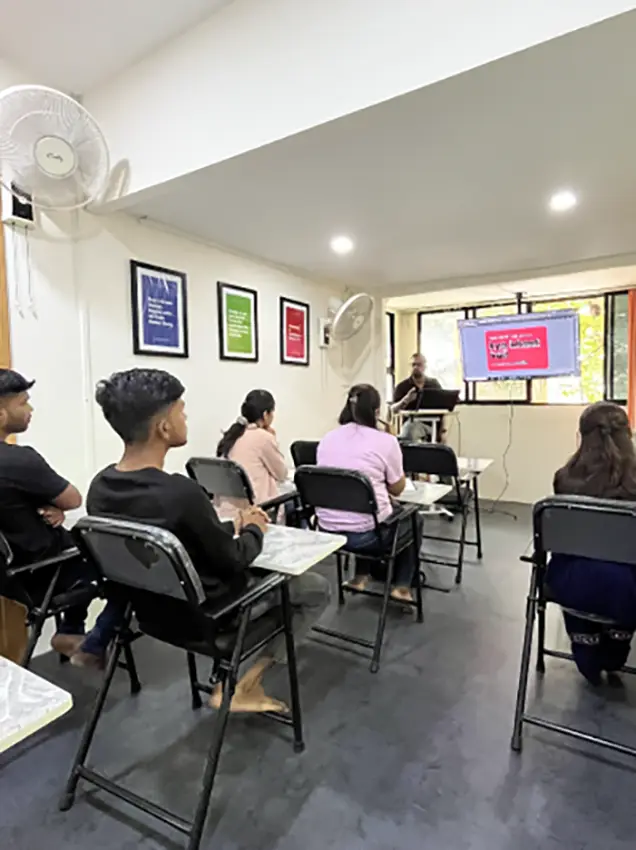
At theDschool, we are revolutionizing the way education and creativity intersect. As a dynamic institution that combines the spirit of a school with the ingenuity of a creative agency, we empower individuals to unlock their full potential and become catalysts for change in the modern world.

About Course

Unlock your creative potential with our immersive Diploma in Design. Over a duration of 6 months,this program equips you with both foundational principles and cutting-edge skills in typography, color theory, visual communication, and digital tools—including Adobe Photoshop, Illustrator, InDesign,Figma,Lightroom,XD,Premier Pro,After effects,DaVinci Resolve,Audition and bundle of AI tools—for a full spectrum of graphic and video design applications.

Duration

6 months

Sessions

65 Regular Sessions + 3 Bonus Sessions + Mock Interviews

Time

Mon To Fri

Topics Covered

Core Principles of Design & Foundations of Graphic Composition

Importing, Organizing, & Managing Media Files

Advanced Graphic Design & Brand Identity Development

Motion Graphics Essentials

Video Editing Fundamentals

Animated Titles, Logo Reveals & Transitions

Storytelling & Visual Narrative

Icon Animation & Explainer Video Development

Color Grading & Correction

Portfolio & Case‑Study Structure

Professional Sound Design & Introductory Visual FX

Career Readiness Module

What you will Learn

PHASE 1

Design & Graphic Essentials
-Fundamentals of Design: elements, principles, color theory, typography
-Introduction to Graphic Design: understanding tools, workflows, and software
-Core Skills: Adobe Photoshop, Illustrator, InDesign, basic layout, visual communication

Concept Building & Real-world Exercises
-Hands-on projects to strengthen conceptual thinking and visual ideation
-Real-world design exercises focused on layout, composition, and storytelling

Advanced Graphic Design & Branding
-Techniques in logo creation, identity systems, and brand guidelines-Branding & Identity Design: digital portfolio pieces reflecting brand strategy
-Brand Case Studies: analysis of successful real-world campaigns

Trends & Software Integration
-Incorporating current design trends (e.g., minimalism, motion elements)
-Exploring AI-assisted tools and modern workflows for brand executions

PHASE 2

Animation Basics
Animation Principles: Keyframing, Easing, and Timing
-Understanding Motion Design Tools: Introduction to Adobe After Effects and related software

Text & Titles Animation
Creating Animated Titles: Designing dynamic, engaging text animations

-Kinetic Typography Techniques

Logo & Icon Animation
Simple Logo Reveal and Transitions: Techniques to animate logos with style and impact

-Animating Icons & Explainer Videos: Visual storytelling through motion for digital content

Transitions & Effects
Transition Techniques & Effects Layering: Seamless scene changes using effects and layers
-Morphing and Parallax Effects

Trends & Best Practices
Motion Trends: Introduction to current trends like kinetic typography, parallax, and morphing


PHASE 3

Introduction to Video Editing
-Basics of editing software
-Understanding formats, frame rates, and timelines
-Organizing media and project setup

Cutting, Transitions & Music
-Trimming and cutting clips
-Applying transitions for smooth flow
-Adding and syncing background music

Narrative, Pacing & Rhythm
-Building visual stories
-Controlling pacing and emotional rhythm
-Using b-roll and storytelling sequences

Multi-Cam, Green Screen & Masking
-Multi-camera editing
-Chroma key (green screen) basics
-Simple masking for creative effects

PHASE 4

Color Grading & Correction
-Fixing color, exposure, and contrast
-Applying creative color grades
-Using LUTs for quick looks

Sound Design & Basic VFX
-Balancing dialogue, music, and effects
-Cleaning up audio
-Basic VFX: text tracking, screen replacement


Portfolio, Professional Development & Presentation

-Structuring a professional portfolio and detailed case studies

-Guidance on LinkedIn, networking, presenting work to clients and employers

Interview planning and guidance

-Career planning workshop covering pricing, freelancing vs agency roles, and client communication strategies

Master Design Tools Like

Adobe
Premier Pro

Adobe
After Effect

Adobe Illustrator

Adobe
Photoshop
Adobe InDesign
Adobe
XD
Adobe Lightroom

Figma

Adobe Audition

AI Tools

Our Placements & Industry Connects

Why theDschool

We just don’t teach to design,

we live it with you!

Experience Faculty

Our graphic design course is led by a team of highly experienced faculty members who are industry professionals with 10+ years of expertise in design, branding, packaging, and UI/UX.

ISO 9001:2015 Certified Course

Our Graphic Design Course is ISO 9001:2015 certified, ensuring high-quality education, industry-relevant curriculum, and a structured learning process. This certification guarantees that our course meets international standards for training, assessment, and student satisfaction.

Practical Software Training

Our Practical Software Training Course is designed to equip students with hands-on expertise in industry-standard design tools used by professional graphic designers. This course focuses on real-world applications and project-based learning to help students build confidence in using design software effectively.

FAQ

Design Fundamentals,Software Mastery,Interdisciplinary Applications,Projects & Portfolio Development,Professional Skills & Industry Readiness

No, beginner courses start from the basics, while advanced courses require some basic knowledge.

Yes, you will receive a ISO Registred number certificate after successfully completing the course.

  • Most courses focus on industry-standard software like

    Adobe Photoshop, Illustrator, InDesign,Figma,Lightroom,XD,Premier Pro,After effects,DaVinci Resolve,Audition

You will get Career Versatility after this course.Graphic Designer,Motion Designer Animator,Web Designer,UI Designer,Visual Designer,Packaging Designer,Creative Director,Video Editor,News Editor,Marketing Designer,Illustration Artist

Generally, there’s no upper age restriction; applicants aged 16+ can apply. Diploma do not require prior design experience, though a passion for creativity is essential.

Yes! The course includes portfolio building, resume tips, and job search guidance to help you land a design job.

  • You can work as a video editor, motion graphics artist, film editor, content creator, or social media editor in industries like filmmaking, advertising, and digital marketing.